
FIELD NOTES / Dates & days
Add or subtract calendar days from a date
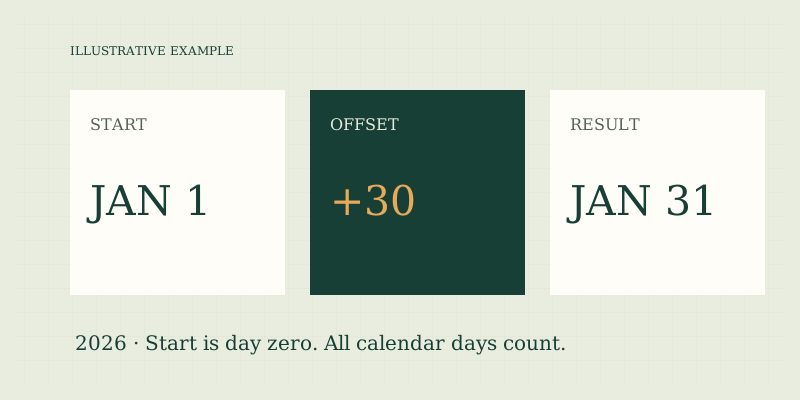
To add calendar days, treat the starting date as day zero and move forward by the stated number of date boundaries. To subtract days, use a negative offset. In an illustrative example, January 1, 2026 plus 30 days is January 31, 2026. This operation includes weekends and holidays.
Use a day-zero convention
The first day after January 1 is January 2. The thirtieth day after January 1 is January 31. If you instead label January 1 “day one,” the thirtieth date in that inclusive sequence is January 30. The calculator implements an offset, not the ordinal label of an inclusive sequence.
| Illustrative start | Offset | Result |
|---|---|---|
| Jan 1, 2026 | 0 | Jan 1, 2026 |
| Jan 1, 2026 | +1 | Jan 2, 2026 |
| Jan 1, 2026 | +30 | Jan 31, 2026 |
| Jan 1, 2026 | −1 | Dec 31, 2025 |
A zero offset leaves the date unchanged. This is a useful first test when learning an unfamiliar date tool. If a zero input changes the date, either the tool uses a different convention or another setting is involved.
Cross month boundaries with the calendar
Do not add an offset only to the printed day number and assume the result is valid. January 31 plus one day is February 1. February's end depends on whether the year is a leap year. The tool validates the starting date and lets calendar arithmetic carry the offset across month and year boundaries. For an illustrative leap-year test, February 28, 2028 plus one day is February 29; plus two days is March 1. For 2026, February 28 plus one day is March 1. These are calendar examples, not scheduled events. The Gregorian leap rule is explained in Leap years.
Subtract with a signed offset
Enter a negative whole number to move backward. March 1, 2028 minus one day reaches February 29, while March 1, 2026 minus one day reaches February 28. A negative offset is more transparent than swapping input dates when your actual question is “what date was a certain number of days before this one?” Avoid entering both a negative sign and a separate subtraction operation in a different tool unless you understand its interface. This site's single day field uses the sign to determine direction: 10 means forward ten calendar days and −10 means backward ten. Fractional day offsets are rejected because a date without a time cannot represent half a day meaningfully.
Verify the result in reverse
After obtaining a result, subtract the same number of days to check that you return to the starting date. January 1 plus 30 reaches January 31; January 31 minus 30 returns to January 1. You can also use days-between mode to confirm the interval length when the result is later than the start. A reverse check is particularly useful for copying a date into another system. Keep the four-digit year and use a clear month name in prose. A correct date can still be misread if entered as a numeric day/month combination under a different locale.
Calendar days are not business days
Adding ten calendar days means moving across every date, including weekends and holidays. It does not mean adding ten working days. This tool has a weekday-count mode for an existing interval, but its offset mode does not add business days and does not consult a holiday calendar. If the question concerns a contract, permit, filing, delivery commitment, or employee entitlement, read the applicable rule. Some rules start counting after a triggering event, define special holidays, or move an ending date. Others use a local cutoff time. No single date offset can establish those facts. Confirm consequential dates with the organization that sets them or an appropriate professional.
Keep months and years out of day offsets
A month is not always 30 days, and a year is not always 365 days. If your instruction says “one month,” do not replace it with 30 in this calculator unless that is explicitly the intended definition. A month-end policy may be needed for dates such as January 31. The supported range is years 0001–9999 in the projected Gregorian calendar. Results outside that range are rejected. For historical research, this projected calendar may differ from the system used locally at the time. For future planning, the calculation describes the stated calendar rule rather than predicting changes to institutional schedules.
A practical offset checklist
- Confirm the starting date and year.
- Decide whether the instruction means an offset or an inclusive day number.
- Use a positive or negative whole-day value.
- Check the resulting month and year, not just the day number.
- Reverse the offset as a quick verification.
- Keep official deadline interpretation separate from arithmetic.
Try add/subtract mode in the date calculator. Read date-counting basics, inclusive counting, and months versus days for related conventions.
FAQ
Can I add half a day?
No. This tool accepts whole calendar-day offsets. A half-day question needs a time-of-day and potentially a time zone.
Does the start count as the first added day?
No. It is day zero. Adding one moves to the next date. Use inclusive counting when the task is to count calendar dates including the start.
Will the result skip a holiday?
No. Offset mode counts all calendar days. Obtain the relevant organization's rules for holiday-adjusted schedules.
Sources
- US Naval Observatory: Leap Years — leap-year rule used across February.
- Sources and methods — offset implementation and date-range limits.
Put the method to work.
Open calculator ↗